
HP ProBook 440 G7
5.0Editor score
Core i5-10210U quad-core processor
16GB RAM and 256GB SSD
Portable 14-inch anti-glare design
Refurbished Windows 11 laptops offer an efficient way to obtain a capable business computer without choosing a new model. The strongest options combine dependable processors, generous memory, solid-state storage, useful ports, and professional operating systems in machines suitable for work, study, travel, and everyday communication.
This guide compares ten renewed Dell Latitude and HP EliteBook and ProBook models using the specifications and condition details provided for each product. It considers processor class, RAM, storage capacity, display size and resolution, connectivity, weight, refurbishment standards, and suitability for common productivity workloads.
Each review identifies the strongest feature, relevant limitations, and the users most likely to benefit from that particular computer. The table offers a quick side-by-side view, while the buying guide explains what matters most. Product availability and pricing can change, so confirm the current listing before purchasing.
5.0Editor score

4.1Editor score

4.0Editor score
As an Amazon Associate we earn from qualifying purchases.
This side-by-side comparison covers ten renewed business laptops, highlighting differences in processor, memory, storage, screen, and connectivity so buyers can quickly identify the model suited to their work and portability needs.


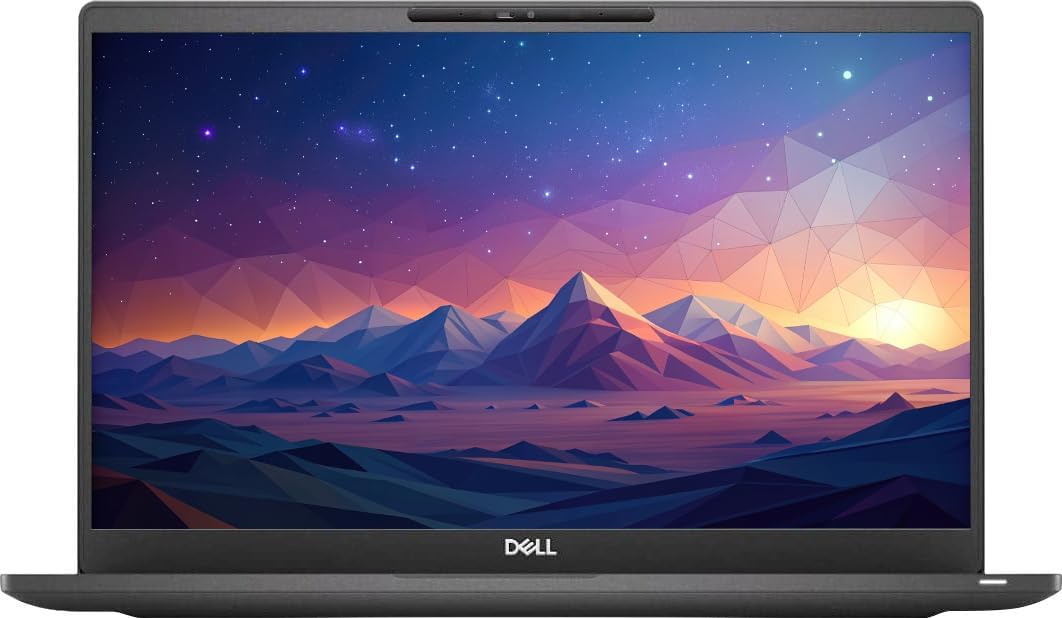


The Dell Latitude 3190 2-in-1 is a compact renewed laptop built around an 11.6-inch HD touchscreen. Its Intel Celeron N5030 quad-core processor boosts from 1.1GHz to 2.4GHz, while 8GB of RAM and a 128GB SSD provide a practical foundation for browsing, office applications, messaging, and video calls. The listed customer rating is 3.7.
We may earn a commission when you buy through this link, at no additional cost to you.
Its principal advantage is flexibility. A touchscreen can make on-screen controls, browsing, and document navigation more direct, while the small display may be easier to carry than a larger business notebook. Windows 11 Professional is particularly relevant for organizations that value the operating system's business-oriented management and security capabilities.
The limitations are equally important. An N5030 is designed for efficiency rather than demanding multitasking, and 8GB of RAM is the minimum that many users will find comfortable in modern browser-heavy workflows. The 128GB SSD also leaves limited room for large application libraries, media collections, and extensive offline files.
This model makes the most sense for students, travelers, and office workers who value a small touchscreen and reliable Windows environment more than peak processing power. Those wanting smoother multitasking should prioritize a model with 16GB of RAM and substantially more storage.
The 11.6-inch touchscreen is useful for compact workspaces, quick navigation, and users who prefer direct interaction with on-screen content. Its smaller footprint also makes the laptop more convenient to carry than larger 14-inch models.
The Celeron N5030 and 8GB memory configuration is better aligned with email, web browsing, documentation, and routine office software than intensive editing, large project files, or prolonged heavy multitasking.
We may earn a commission when you buy through this link, at no additional cost to you.
The Dell Latitude 5420 is a well-balanced 14-inch business laptop with an 11th-generation Core i5, 16GB of RAM, and a 512GB PCIe SSD. It carries a 3.8 customer rating, and its configuration makes it one of the most versatile systems in this guide for office productivity, virtual meetings, research, and everyday professional use.
We may earn a commission when you buy through this link, at no additional cost to you.
Connectivity is a major strength. The listed specifications include two Thunderbolt 4 ports with DisplayPort Alternate Mode, USB4, and Power Delivery, plus USB 3.2 Gen 1, HDMI 2.0, an RJ45 port, a microSD slot, Wi-Fi 6, and Bluetooth 5.2. A 1920-by-1080 anti-glare display, webcam, and backlit keyboard round out a practical work environment.
One point of ambiguity is that the product title identifies Windows 11 Pro, while the detailed feature text mentions Windows 10 Pro. Because the listings for renewed systems can vary, buyers should confirm the installed operating system with the seller and ensure that their account and required applications are ready to use after setup.
The Latitude 5420 is a strong choice for professionals who need modern connectivity, ample memory, and a comfortable 14-inch display without moving to a premium ultraportable. It is particularly suitable for users who regularly connect storage, displays, networks, and accessories at a desk or while traveling.
Thunderbolt 4, HDMI, USB, Ethernet, and an SD-card reader provide more ways to connect than many similarly compact business laptops. This makes the model adaptable to office docks, external monitors, accessories, and wired network environments.
The full-HD anti-glare display offers a practical balance between document visibility and portability, while the backlit keyboard supports comfortable work in dim conditions. The non-touch panel keeps the design focused on conventional productivity.
We may earn a commission when you buy through this link, at no additional cost to you.
The renewed Dell Latitude 5400 combines a Core i5-8265U processor, 16GB of RAM, and a 256GB SSD in a traditional 14-inch business notebook. Its 4.0 customer rating reflects a well-rounded option for office applications, browsing, document work, and connected productivity.
We may earn a commission when you buy through this link, at no additional cost to you.
The processor has four cores and eight threads and can boost up to 3.9GHz, giving it useful headroom for routine business tasks. Memory is particularly helpful for keeping numerous browser tabs, communications windows, and office applications open. An HDMI port, USB 3.1, and a uSD 4.0 card reader support common accessories.
The 256GB SSD may be the most significant constraint for buyers with extensive local media, large project files, or multiple demanding applications. The display is also HD rather than Full HD, so it is less detailed than the Latitude 5420 and Dell Latitude 7420 in this group. Users can still connect a higher-resolution external display through the available ports.
The Latitude 5400 is a sensible recommendation for office-based users and students who need 16GB of memory and a business operating system in a conventional laptop. It also makes sense for managed deployments where compatibility, security, and remote-management features matter more than a premium display.
The 16GB configuration gives users more room to operate several applications and browser tabs than systems with 8GB. It remains a sensible minimum for general productivity in 2026.
HDMI, USB 3.1, and the uSD card reader simplify connections to displays, peripherals, and removable storage. These features help the notebook function as a dependable office workstation.
We may earn a commission when you buy through this link, at no additional cost to you.
The Dell Latitude 7400 pairs a 14-inch Full-HD panel with a Core i5-8365U quad-core processor, 16GB of RAM, and a 256GB M.2 NVMe SSD. It has a 3.9 customer rating and is aimed at users who value a sharp, portable business display and modern solid-state responsiveness.
We may earn a commission when you buy through this link, at no additional cost to you.
Its refurbishment details are unusually clear. The listing states that the product is tested and certified to look and work like new, with functionality testing, basic cleaning, inspection, and repackaging. It also states that relevant accessories, a minimum 90-day warranty, and generic packaging may be included, depending on the listing.
The Core i5-8365U operates at a 1.6GHz base frequency and can reach 4.1GHz with Turbo Boost, which is appropriate for office applications, web research, communications, and moderate multitasking. The 256GB NVMe drive supports quick startup and file access, though it remains modest for extensive local data.
The Latitude 7400 is a good fit for professionals who want a crisp 14-inch screen, adequate memory, and a refined ultraportable format. It is especially attractive when the clear refurbishment process, included warranty, and 16GB memory matter more than having the newest processor generation.
The 1920-by-1080 resolution provides more working space and finer detail than the HD models in the guide. It is well suited to spreadsheets, reports, web pages, and office software.
The listing describes functional testing, cleaning, inspection, and repackaging, along with a minimum 90-day warranty. Buyers should still review the exact condition report, included accessories, and seller terms for their listing.
We may earn a commission when you buy through this link, at no additional cost to you.
The Dell Latitude 7490 is a renewed premium business laptop built around an Intel Core i7-8650U, 16GB of RAM, and a 512GB SSD. Its customer rating is 4.0, and the combination of processing power and storage makes it a strong option for professionals seeking more capability than a basic renewed notebook.
We may earn a commission when you buy through this link, at no additional cost to you.
The Core i7 designation provides additional headroom for multitasking and heavier productivity workflows than many lower-tier alternatives. Sixteen gigabytes of memory supports multiple open applications, while 512GB of storage leaves more room for project files, communication archives, media, and installed software than the 256GB configurations elsewhere in the list.
The product data does not describe the display resolution, port selection, battery configuration, or weight in detail, so those elements should be checked on the final listing. The listed processor is also from an earlier generation, which means buyers should focus on present performance needs rather than expecting the newest platform features.
The Latitude 7490 is best recommended for business users, content professionals, and advanced students who want a Core i7, ample memory, and generous storage in a renewed Windows 11 Pro machine. Those who travel frequently may prefer a model whose size and weight are explicitly documented.
The Core i7 processor and 16GB of memory provide a useful combination for advanced office work, research, communication, and several simultaneously active applications. It is a more capable choice for power-oriented productivity.
A 512GB SSD gives this model more room for local applications and files than the 256GB alternatives. It remains a balanced configuration for users who want capacity without moving to a much larger computer.
We may earn a commission when you buy through this link, at no additional cost to you.
The Dell Latitude 5400 with 16GB of RAM and a 512GB SSD is the most balanced configuration in the guide. It has the highest listed numerical rating among products with an available rating, at 4.1, and its Microsoft Authorized refurbished status gives buyers a clear refurbishment framework to consider.
We may earn a commission when you buy through this link, at no additional cost to you.
The Core i5-8365U is a four-core processor with a 1.60GHz base speed, supported by Intel UHD 620 graphics. Memory and storage are the standout specifications: 16GB supports active multitasking, while 512GB provides more room for applications and files. The listing also identifies Wi-Fi, Bluetooth, RJ45 Ethernet, and a useful collection of USB, Type-C, HDMI, and media connections.
Its 3.3-pound weight makes it appealing for mobile productivity, although the 14-inch non-touch design prioritizes conventional laptop use over tablet-like interaction. The listing does not provide the exact panel resolution, so buyers seeking a specific display size should confirm that detail. Renewed appearance and included accessories should also be checked.
This is the most straightforward all-around recommendation in the guide. It suits office workers, students, remote workers, and anyone who wants 16GB of memory and 512GB of storage without choosing a larger or more specialized notebook.
The combination of 16GB memory, 512GB storage, and a four-core Core i5 addresses the needs of most office and communication workflows. It avoids the more obvious compromises of 8GB memory or 128GB storage.
Microsoft Authorized Refurbished status indicates a structured program, while the listed 3.3-pound weight supports portable daily use. Review the seller's condition notes and warranty for the exact unit.
We may earn a commission when you buy through this link, at no additional cost to you.
The HP EliteBook 840 G5 is a renewed 14-inch business laptop built around a Core i5-8350U, 16GB of DDR4 memory, and a 512GB SSD. Its 3.9 customer rating and Full-HD screen make it a solid productivity option for office work, study, and professional communication.
We may earn a commission when you buy through this link, at no additional cost to you.
The display's 1920-by-1080 resolution provides a more detailed workspace than HD alternatives, and integrated graphics keep the system suitable for standard business graphics. USB Type-C and HDMI connectivity allows users to connect modern accessories and external displays. Windows 11 Pro 64-bit is listed with support for English, Spanish, and French.
A notable caveat is that the listing says there is no wireless card and no DVD drive. That means the system may require a USB Wi-Fi adapter if the purchase is not accompanied by a compatible card, and it cannot use optical discs without an external solution. Confirm these omissions because they are important for some buyers.
The EliteBook 840 G5 is a good recommendation for a buyer who prioritizes a sharp screen, 16GB of memory, and 512GB of storage. It fits office and school workflows particularly well, especially for users who already have suitable networking equipment or prefer a wired connection.
The 1920-by-1080 panel offers a roomier and more detailed view for spreadsheets, documents, and web research. It is a meaningful advantage over the HD business laptops in this guide.
The product information explicitly notes that no wireless card is included. Buyers should verify whether the exact unit has a card installed and whether a compatible adapter is needed for Wi-Fi use.
We may earn a commission when you buy through this link, at no additional cost to you.
The HP ProBook 440 G7 stands out as a value-focused renewed business laptop with a 4.0 Core i5 processor, 16GB of RAM, and a 256GB SSD. Its listed customer rating of 5.0 is the highest numerical rating in the group, while the 14-inch Full-HD anti-glare display adds practical value for regular office and study use.
We may earn a commission when you buy through this link, at no additional cost to you.
The Core i5-10210U has four cores and eight threads, a 1.6GHz base frequency, and up to 4.2GHz Turbo Boost. Sixteen gigabytes of memory is a major strength for users who want to run multiple programs and browsers. The port list includes USB Type-C, two USB 3.1 Gen 1 ports, USB 2.0, HDMI, Ethernet, and a combined audio interface.
The 256GB SSD is less generous than the 512GB options, so cloud storage or an external drive may be useful. The data also does not specify a wireless card, and no Windows 11 operating system appears in the title, although the product information states that Windows 11 Pro is included. Buyers should verify both details in the final listing.
This ProBook is a strong recommendation for budget-conscious office workers, students, and travelers who prioritize 16GB of memory, a sharp anti-glare screen, and a portable 3.5-pound chassis. It offers a more balanced feature set than entry-level 8GB systems without moving to a premium ultraportable.
A Full-HD anti-glare screen, 16GB of RAM, and a four-core Core i5 cover the fundamentals of productive daily computing. The balance is especially useful for students and hybrid office users.
The listed weight of 3.5 pounds supports commuting and travel. Its business-oriented port selection allows users to work with wired networks, external displays, and common peripherals without relying only on adapters.
We may earn a commission when you buy through this link, at no additional cost to you.
The Dell Latitude 7420 is one of the most capable renewed notebooks in the guide. It combines an 11th-generation Intel Core i7-1165G7 processor, 16GB of RAM, and a 512GB PCIe NVMe SSD in a 14-inch Full-HD business chassis. Its customer rating is 3.7, but the underlying specifications are well suited to demanding professional workflows.
We may earn a commission when you buy through this link, at no additional cost to you.
The processor has four cores and eight threads and can boost to 4.70GHz, providing useful responsiveness for multitasking, research, communications, and heavier productivity tasks. The 14-inch anti-glare display has a listed brightness of 250 nits, while Intel Iris Xe graphics, a webcam, a backlit keyboard, Wi-Fi 6, and Bluetooth provide a complete everyday setup.
The listing states that Windows 11 is a brand-new installation without common manufacturer bloatware. It also reports a 90-day warranty and 90-day technical support for renewed computers. There is no DVD drive, which is increasingly normal but may matter to buyers with physical-media needs. The lower customer rating means the listing deserves careful review for exact condition and seller details.
The Latitude 7420 is best for professionals who want a capable, portable Windows 11 Pro computer with modern wireless connectivity and ample memory. It is a better fit for intensive daily use than the Celeron-based Latitude 3190 and a more refined alternative to the standard Core i5 business models.
The Core i7-1165G7 and 16GB of memory create a capable foundation for simultaneous applications, browser sessions, and demanding office workflows. The fast NVMe drive complements that responsiveness.
The listing describes a fresh Windows 11 installation without common preinstalled bloatware, backed by 90-day warranty and technical support. Buyers should preserve the included documentation and review the support terms.
We may earn a commission when you buy through this link, at no additional cost to you.
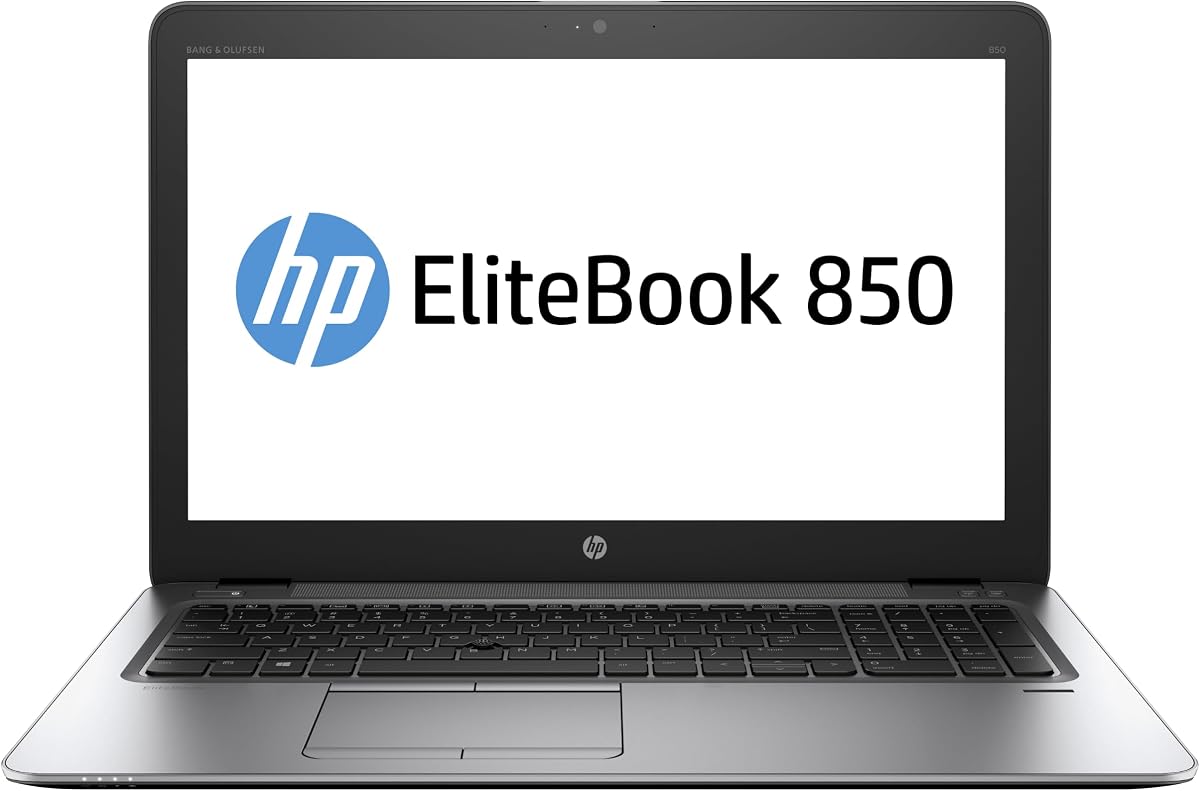
The HP EliteBook 850 G3 is a renewed large-screen business laptop with a 15.6-inch HD display, a Core i7-6600 processor, 16GB of DDR4 memory, and a 512GB M.2 SSD. No customer rating is provided in the supplied data, so its appeal should be assessed primarily from the specifications and included support details.
We may earn a commission when you buy through this link, at no additional cost to you.
The large display is the defining feature for users who prefer more visible workspace for spreadsheets, reports, side-by-side documents, or presentations. The Core i7 supplies four cores and eight threads, while 16GB of memory and 512GB of storage create a generally useful productivity configuration. Wi-Fi, Bluetooth, a webcam, and a microphone support connected work and calls.
The Core i7-6600 is an older processor generation, and the display is HD rather than Full HD despite its larger size. That combination may disappoint buyers who prioritize sharp graphics or the newest platform. As a large notebook, it may also be less convenient for frequent travel than the 14-inch alternatives.
The EliteBook 850 G3 is best for desk-based users who value screen area, a Core i7 configuration, and substantial memory and storage. The listing states that Windows 11 Pro is preinstalled and activated and that the system includes a 90-day warranty and technical support, providing useful reassurance for a renewed purchase.
The 15.6-inch panel provides a larger canvas for documents, financial sheets, presentations, and side-by-side application use. Its HD resolution is the trade-off, so image-heavy editing may not be a priority.
The supplied information lists an activated Windows 11 Pro installation, 16GB of memory, 512GB of storage, and 90-day warranty coverage. Reviewing the exact condition report remains important for every renewed system.
We may earn a commission when you buy through this link, at no additional cost to you.
A useful renewed laptop should balance processing power, memory, storage, display quality, connectivity, and condition. The right choice depends on whether the computer is primarily for office work, study, travel, communication, or more demanding applications.
The processor determines how comfortably a laptop handles browser workloads, office software, virtual meetings, and more demanding professional applications. An Intel Core i5 is the most versatile tier in this group, while Core i7 models provide additional headroom for intensive multitasking. The Celeron N5030 in the Latitude 3190 prioritizes efficiency and basic computing rather than demanding performance.
Choose a Core i5 for most office and study needs, or a Core i7 for heavier workflows. A newer generation generally offers improvements in efficiency and media capability, but a properly maintained older processor can still provide sufficient performance.
RAM is especially important on a Windows 11 machine because the operating system, browser tabs, communications tools, and security applications all use memory. Eight gigabytes can support basic work, but 16GB provides a more comfortable margin for multiple applications and has become a sensible target for buyers expecting the laptop to remain useful for several years.
Prioritize 16GB unless a smaller system is being purchased for a tightly defined role. Memory cannot usually be upgraded on modern business laptops, so choosing enough initially is more reliable than hoping to expand later.
All ten systems use solid-state storage, which supports faster startup and file access than a traditional hard drive. Capacity remains an important distinction. A 128GB drive is best reserved for lightweight use, 256GB is workable for modest local file storage, and 512GB offers the best balance for extensive applications, project folders, and downloaded media.
Look beyond capacity and confirm that the drive uses a modern interface such as NVMe or PCIe where the listing specifies it. If more room is needed, favor a 512GB configuration or budget for an external drive and cloud storage.
A 14-inch Full-HD display offers a strong balance of workspace and portability, making it a common choice for professionals. HD panels are adequate for document work but provide less detail, while the 15.6-inch EliteBook is useful for users who value screen area. Touchscreens can add flexibility, although they are not necessary for conventional office productivity.
Choose Full HD for a crisper and more spacious workspace, HD for a lower-cost compact option, and 15.6 inches when desk space matters more than carrying weight. Consider glare resistance for bright environments and screen size for frequent spreadsheet or presentation work.
Business laptops remain useful when they can connect to external monitors, wired networks, storage devices, and peripherals without requiring numerous adapters. USB-A supports many accessories, USB-C adds flexibility, HDMI handles displays, and RJ45 provides a stable wired network connection. Thunderbolt 4 on the Latitude 5420 expands docking and high-speed accessory options.
Match the ports to your working environment. Wi-Fi 6 and Bluetooth improve wireless convenience, but buyers should verify that a wireless card is present. The EliteBook 840 G5 listing specifically notes that no wireless card is included, making that detail especially important to confirm.
Refurbished does not mean one uniform condition. Some listings describe professional inspection, testing, cleaning, repackaging, and a warranty, while others emphasize that products are tested and cleaned by qualified vendors. These statements provide useful context, but the exact grade, cosmetic imperfections, included accessories, and return terms still vary by seller.
Look for clear condition descriptions, stated testing steps, warranty coverage, and a minimum return period. Generic packaging is common and does not necessarily indicate poor performance. Buyers should also review photos, seller feedback, and the specific warranty exclusions before ordering.
A laptop used for commuting should be judged by weight, dimensions, and the practical demands placed on its battery. Models around three to three-and-a-half pounds, such as the Dell Latitude 5400 and HP ProBook 440 G7, are positioned as portable business notebooks. The 15.6-inch EliteBook offers more screen area but is more likely to be used near a desk.
For frequent travel, prioritize a light chassis, efficient processor, and comfortable keyboard. For stationary use, screen size and connectivity may matter more. Actual battery longevity varies with age, workload, power settings, and the condition of the individual renewed unit.
Windows 11 Pro provides business-oriented security, management, and remote-access capabilities that can be valuable for work and organized home use. A renewed listing may describe a fresh installation, preinstalled edition, or upgrade from an earlier operating system, so buyers should verify the edition, activation status, architecture, and included support before purchase.
Check whether the machine includes Windows 11 Pro or another edition, and confirm that activation is in place. Business-managed notebooks may also have organization policies, enrollment requirements, or software restrictions. A clean consumer or small-business installation can be preferable for personal users who do not need those features.
Begin by reviewing the included setup information, charger, and accessories, then confirm that the operating system is activated. Complete Windows setup, connect to a trusted network, and install the security updates and current drivers appropriate for the exact processor and device. Restoring or verifying backups should be done before migrating files from a previous computer.
Create a Windows or manufacturer recovery backup once important documents and application settings are in place. Keep the recovery partition or recovery media accessible, use an external drive or reputable cloud service for regular backups, and avoid storing the only copy of important files on the laptop. Updated software reduces exposure to security issues, while routine system cleanup preserves available storage.
Treat renewed battery health as a separate variable from computer performance. Use the manufacturer or operating system tools to view battery information, avoid prolonged heat and complete depletion, and keep the charger accessible when extended work is required. Clean the display and keyboard with suitable materials, respect ventilation openings, and back up the machine before major firmware or operating system changes.
A well-refurbished laptop can provide excellent value because its processor, memory, and storage often match configurations that would cost more in a new premium business notebook. The result depends heavily on refurbishment quality, physical condition, battery condition, and seller support. Review the inspection details, warranty, return policy, and included accessories before buying.
A Core i5 is usually the most practical general-purpose processor in this category, balancing responsiveness with efficiency. Core i7 models provide more headroom for intensive multitasking and professional software. The Celeron N5030 is better suited to basic browsing, documentation, and lightweight office tasks than demanding applications.
Sixteen gigabytes is a strong target for general use because it provides comfortable headroom for browsers, communications, office software, and background applications. Eight gigabytes can still work for lighter tasks, but it leaves less room when many programs are open. Since memory is often not upgradeable in thin business laptops, 16GB offers better long-term flexibility.
Choose 256GB when the laptop is used mainly for web-based work and documents, and you are comfortable relying on cloud storage or an external drive. A 512GB SSD is preferable for larger application libraries, local project files, media, and fewer storage interruptions. Both capacities benefit from fast solid-state performance, but capacity is the main trade-off.
Check the stated refurbishment process, cosmetic condition, battery or power-related information, included charger, warranty period, and return policy. Also confirm the display resolution, operating system edition and activation, wireless card, port selection, and storage capacity. The exact condition report is more useful than a general renewed label alone.
Windows 11 Pro is generally more useful for organizations, managed deployments, advanced security, and remote access. Windows 11 Home is sufficient for many personal tasks and can be less demanding on system management. The right edition depends on how the computer will be used and whether an organization requires specific management features.
Most models include USB-A, HDMI, and a combined audio connection, which covers many keyboards, mice, displays, and storage devices. Some also include USB-C or Thunderbolt 4, while the Latitude 5400 configuration includes RJ45 Ethernet. The HP EliteBook 840 G5 listing specifically notes that no wireless card is included, so buyers should verify that requirement carefully.
A 14-inch laptop is usually easier to carry and commonly provides a Full-HD display in this guide, making it a strong all-purpose choice. A 15.6-inch model offers more visible workspace for spreadsheets, documents, and presentations but is usually less convenient for travel. Consider the display resolution carefully, because a larger HD panel is not automatically sharper than a smaller Full-HD screen.
The Dell Latitude 5400 with 16GB of RAM and a 512GB SSD stands out as the most balanced overall option, offering Microsoft Authorized refurbished status, a Core i5 processor, extensive connectivity, and a portable 3.3-pound design. The HP ProBook 440 G7 is an appealing value choice with a 5.0 customer rating, 16GB of memory, and a Full-HD anti-glare display.
Buyers prioritizing processing power and storage can consider the Dell Latitude 7490, while the Latitude 7420 provides a more advanced Core i7 configuration, modern wireless connectivity, and a 90-day support arrangement. The Latitude 5420 stands out for Thunderbolt 4 and broad port support, and the compact Latitude 3190 2-in-1 appeals to users who specifically want a touchscreen.
Ultimately, prioritize the processor and memory combination, adequate storage, the display format you will use every day, and the clarity of the refurbishment terms. Confirm the exact condition, operating system, included accessories, and current listing details before purchasing, since product availability and pricing can change.